Creating A Beach Location
Worlds are location based. Everything in your world begins with a location
-
Enter the command /world
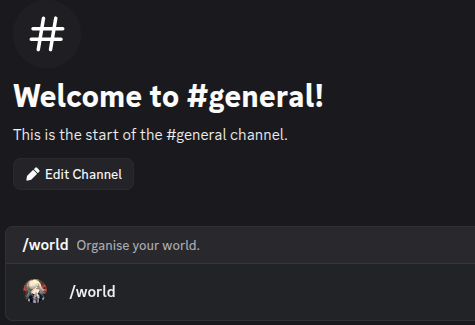
The user is entering /world in their Discord chat bar
-
At the bottom of the message, find the Collections section and press its button
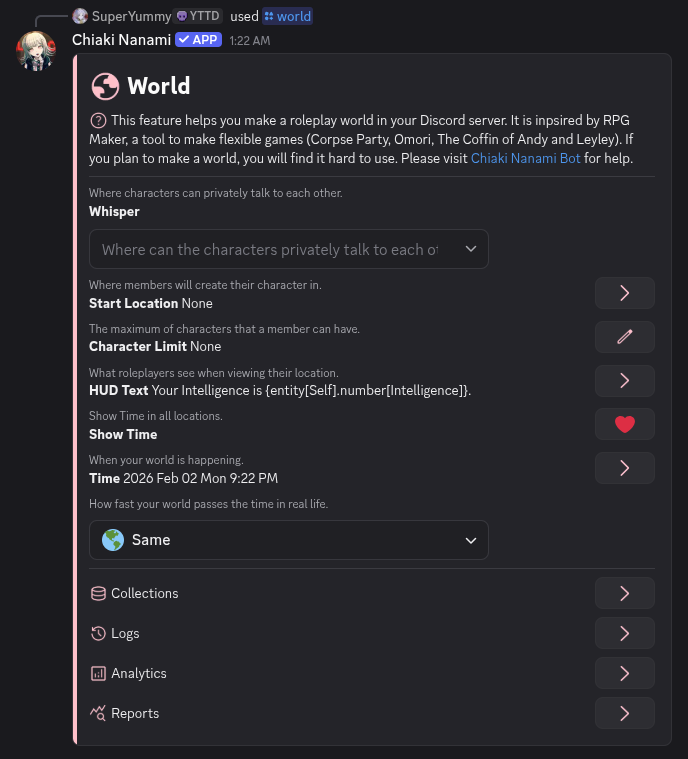
The world message with a Collections section
-
Collections contain the data that makes up your world. Turn the page until you find the Locations section
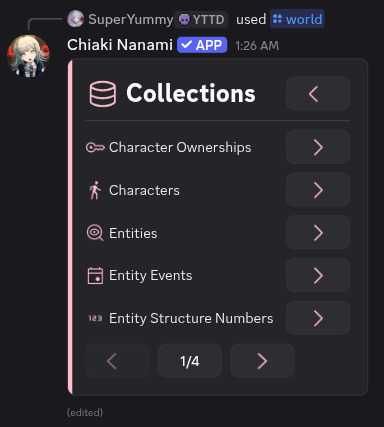
The first page of Collections
-
Press the Location buttons
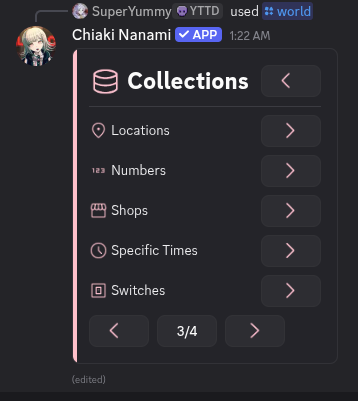
The Locations section appearing on page 3
-
Locations are places where things can exist. To create your world's first location, press that Create button
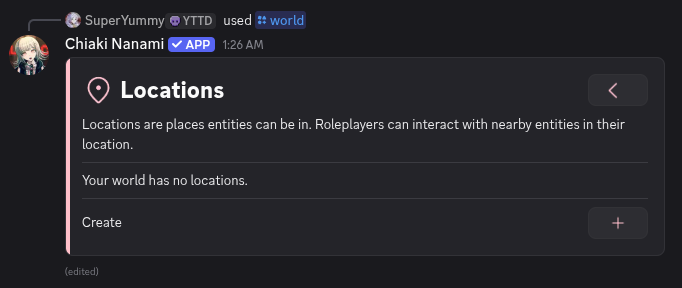
The Locations message with a Create button
-
Locations require a Discord channel. Create a new channel called beach🌊
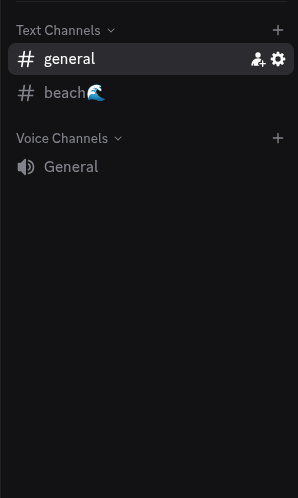
The new channel beach🌊
-
In the Creation message, select the beach🌊 channel
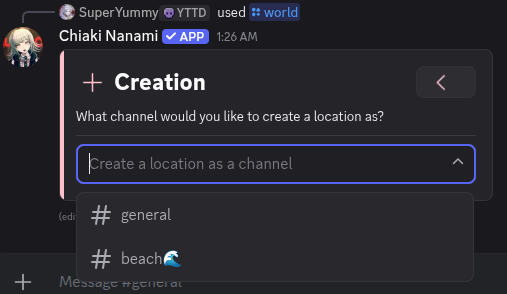
Selecting the beach🌊 channel
Selecting the channel creates a default location. It will also create a message in that channel that automatically displays the location's information. If the channel becaomse quiet, Chiaki will resend this message
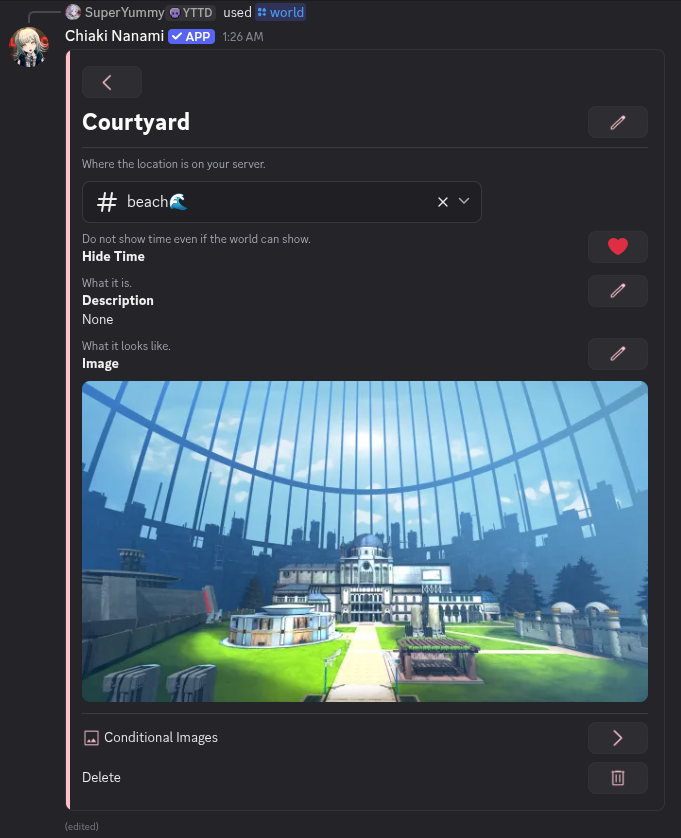
A created default location
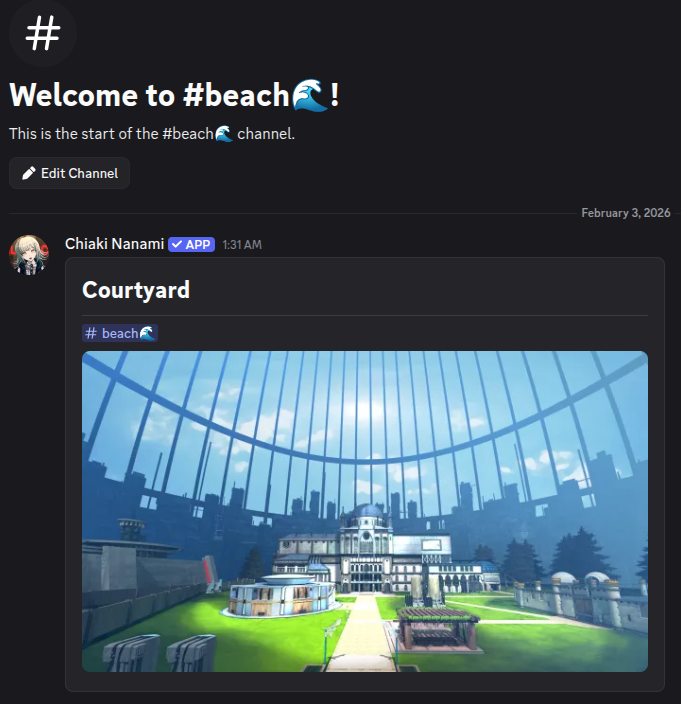
The location message in the beach🌊 channel
-
Rename the default location to Beach
-
Update your location image so that it looks like the beach.
-
(Optional) Could add a description too
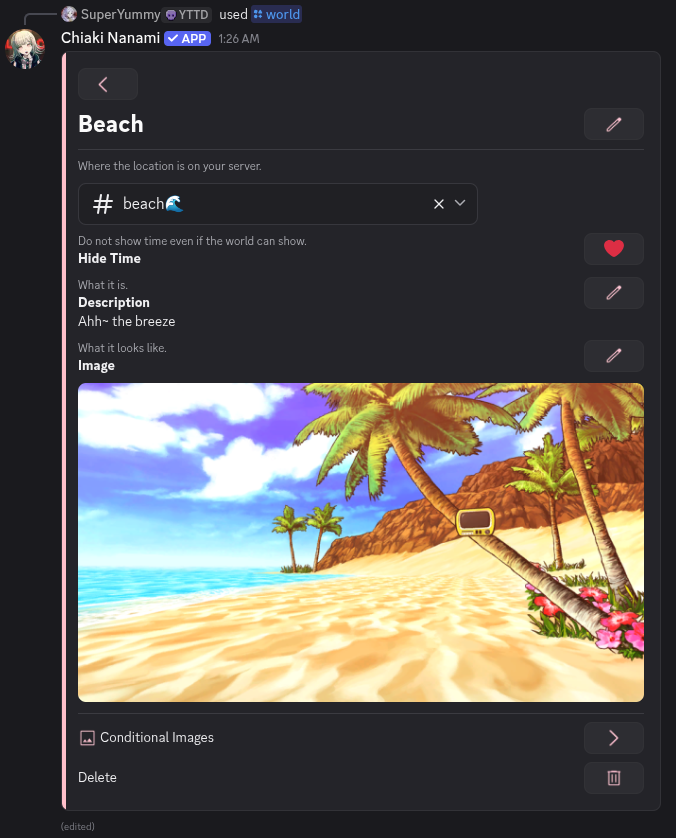
The location renamed to Beach, with a beach image and description: "Ahh~ the breeze"
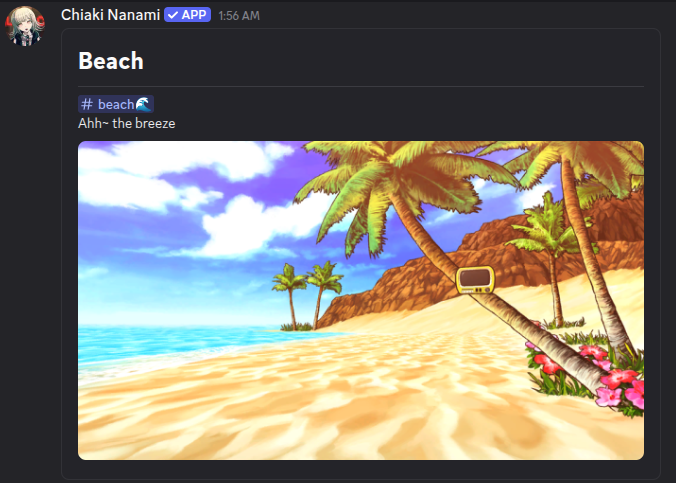
The updated location message in the beach🌊 channel
Done! You have created your world's first location, the Beach!